How to send data from a Chat Funnel to Google Sheets without Make, N8n, or Zapier
If you use Chat Funnels and want to save your users’ responses directly to a Google Sheet, without paying for middleman tools like Make or Zapier, this is for you.
With Google Apps Script, you can publish an endpoint that receives the Chat Funnels webhook and automatically writes the data to your spreadsheet. Free, with no middlemen, and in under 15 minutes.
What you’ll achieve
Chat Funnels → Google Sheets ✅
Every time a user completes your funnel, their responses will automatically appear as a new row in your spreadsheet.
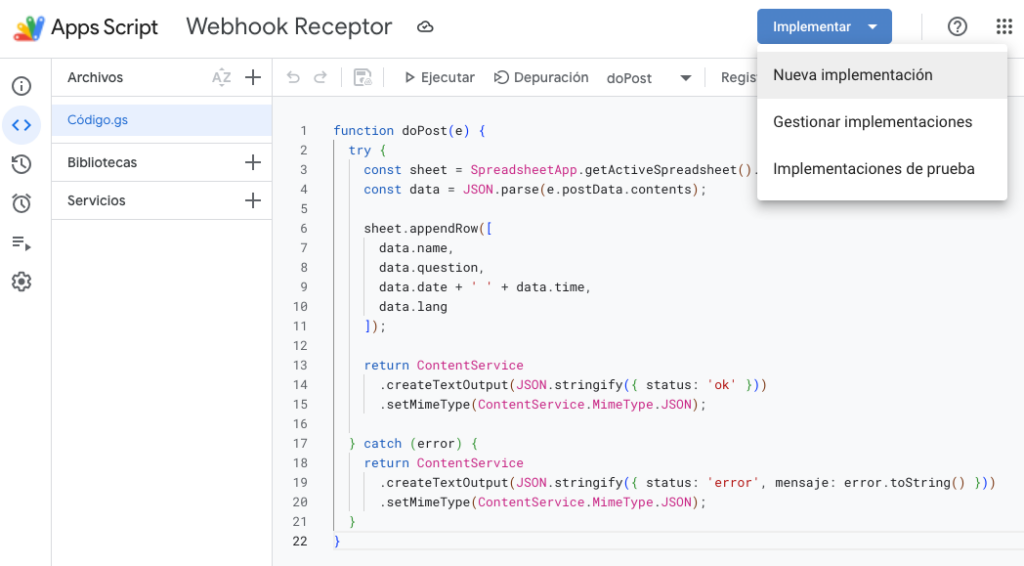
Note: The fields payload.data.name, payload.data.question, etc. match the payload structure sent by Chat Funnels. Adjust the names based on the fields in your own funnel.
Save the project with Ctrl+S and give it a name, for example: Webhook Receiver.
Step 4 — Publish the script as a Web App
This is the most important step: you turn your script into a public HTTP endpoint that Chat Funnels can call.
Click Deploy → New deployment
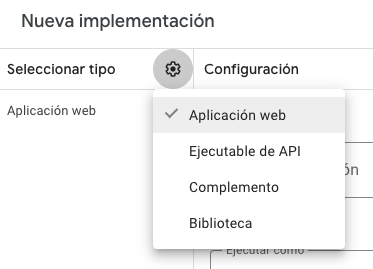
Click the gear icon ⚙️ and select Web app
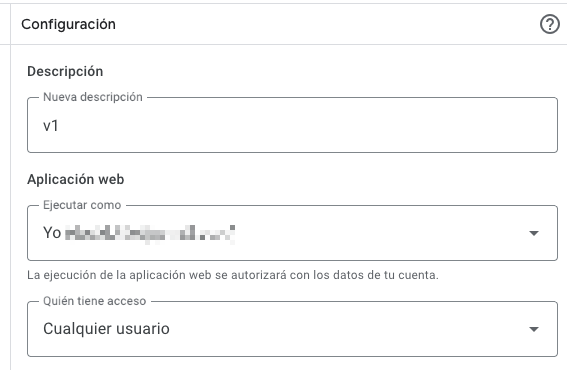
Configure it like this:
Description: For example, V1
Execute as: Your Google account
Who has access: Anyone
Click Deploy
Authorize the permissions Google asks for
If the warning “Google hasn’t verified this app” appears, click Advanced and then “Go to [project name]”. It’s your own script, so it’s safe.
When you’re done, you’ll get a URL in this format:
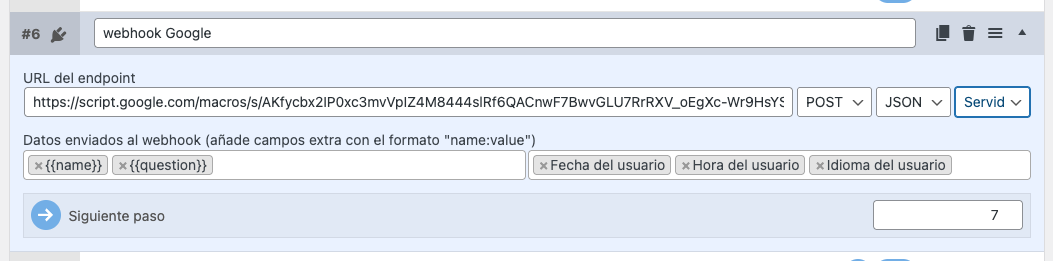
In the funnel step where you want to capture the data, add a Webhook block and configure it like this:
Endpoint URL: the URL you copied in the previous step
Method: POST
Format: JSON
Client: Server
Data sent: select the funnel fields you want to save
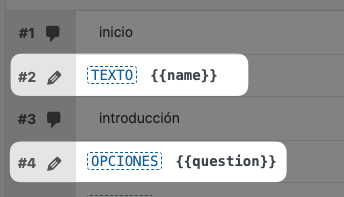
In the screenshot example, {{name}} and {{question}} are funnel variables, and the date {{date}}, time {{time}}, and user language {{lang}} are also added as system fields.
⚠️ Important things to remember
Every time you modify the script, you must publish a new version, otherwise the changes won’t take effect:
Deploy → Manage deployments → ✏️ edit → New version → Deploy
The 400 error in the Chat Funnels log is normal. Google redirects the endpoint response, and Chat Funnels may interpret that as an error, but the data is still written correctly to the sheet. It does not affect how it works.
Final result
Every time a user completes the funnel, a new row will automatically appear in your Google Sheets with all their data, without going through any external automation tools.